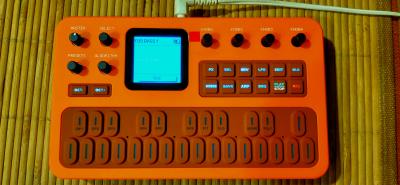
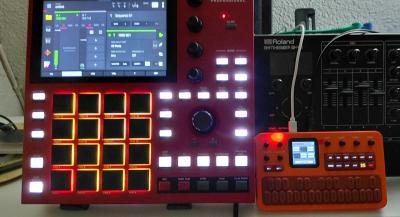
#131 instálate firmwares a cascoporro….
https://thefirmwarehub.com
Y si no quieres han sacado la versión oficial v16 M vave
FM-1 016 Firmware Release Notes
Compared with: the 015 release (single-timbral, 12-note polyphony)
The user manual on the official website has been updated accordingly. Please refer to it for detailed operating instructions.
Prepared: October 20, 2026
Terminology: ¡°Voice¡± on the display refers to a timbral part. ¡°Polyphony¡± refers to the total number of synthesis voices available across the instrument.
1. Multitimbral Operation and Expanded Polyphony
1. Expanded from one timbral part to eight Voices. Play different sounds simultaneously or layer multiple sounds together.
2. Total polyphony increases from 12 to 20 synthesis voices, dynamically shared across all eight parts. The instrument provides 20 voices in total, not 20 per part.
3. Each Voice has its own preset, On/Off setting, MIDI receive channel, level, pan, pitch-bend up/down ranges, and glide settings.
4. Added independent Fine Tune for each Voice, adjustable from -100 to +100 cents.
5. Assign Voices to the same MIDI channel for layering, or to different channels for independent control from an external keyboard or sequencer.
2. SEQ Sequencer and Multitrack Arrangements
1. Each Pattern now supports up to 64 steps instead of 16. The Pattern pool remains at 16 Patterns.
2. Replaced sequential Pattern chaining with an eight-track, eight-column arrangement. Each row corresponds to a Voice. Assign any Pattern to a cell or leave it empty; multiple rows can play simultaneously.
3. The arrangement view displays four Voice rows and four columns at a time. It scrolls automatically when selecting rows or columns outside the visible range. Disabled Voices and cells beyond the playback length are dimmed.
4. Arrangement length is adjustable from one to eight columns. Multiple cells can reference the same Pattern; editing that Pattern updates every reference.
5. During single-Pattern playback, selecting another Pattern schedules the change for the end of the current cycle. In arrangement mode, the editing position is independent of the playback position.
6. Pressing REC on a nonempty arrangement cell records into its assigned Pattern, using that row¡¯s Voice for monitoring. A new recording starts at Step 1; an empty cell does not start recording.
7. While SEQ is stopped or recording, ALGORITHM selects a step and sets the end position when entering sustained notes. Step selection is locked during playback. SELECT changes parameter pages.
8. Added per-step Ratchet settings of ¡Á1, ¡Á2, ¡Á3, and ¡Á4. While stopped or recording, set retriggers for steps containing note-on events without adding steps or changing the step¡¯s total duration. Empty and note-off-only steps do not retrigger.
9. Reorganized the 64-step grid, arrangement cells, and K1¨CK4 parameter layout. Reduced repetitive hints and added an outline to identify the selected editing cell.
10. Added single-Pattern playback from the selected edit step. While stopped, select a step and press the onboard PLAY/STOP to start there; playback wraps from the last step to Step 1. This selected-step start applies to local single-Pattern playback; arrangement and external MIDI follow their own start-position rules.
11. Corrected the Rate display during single-Pattern playback: when viewing the playing Pattern, it shows the rate stored for the current playback step.
12. Added a Voice On/Off control on arrangement parameter Page 2. K4 right turns the Voice on and K4 left turns it off. The displayed Voice follows the selected editing row and shares its state with GLOBE Voice Set. Save this setting with SAVE ¡ú Globe or ALL. Turning a Voice off retains its Pattern assignments.
3. Independent Shared FX Library
1. FX configurations are now stored independently of sound presets in a library of 128 FX groups. All Voices are mixed into one shared stereo effects chain.
2. Changing a Voice preset, Pattern, or arrangement column no longer automatically changes the shared FX.
3. On the FX page, use ALGORITHM to select an FX group, with wraparound between FX128 and FX001. The FX entry at the top of PRESETS controls the same selection.
4. Each FX group stores its own effect order, On/Off states, parameters, and a name of up to 10 characters. Default names are FX001 through FX128.
5. Hold SEL on the FX page to rename the current group. Use SELECT to choose a character position, K1 to change the character, and press SEL again to confirm and return.
6. Save FX parameter and name changes using SAVE ¡ú Globe or ALL. These changes are not written to a sound preset slot.
7. External MIDI control of FX now uses the continuous CC70¨C93 range on the channel selected by Effect Ch: Filter 70¨C73, Reverb 74¨C77, Delay 78¨C81, Distortion 82¨C85, Chorus 86¨C89, and Phaser 90¨C93. Each group controls the corresponding effect's On/Off state and parameters.
8. The former CC0¨C23 FX mapping is no longer active. CC1/2/4 remain sound-modulation controls, CC7 controls master volume, and CC11 controls expression. Existing FX controllers or scripts must use the new CC numbers.
4. PRESETS and GLOBE Workflow Updates
1. In normal mode, the top of PRESETS selects FX or Voice1¨CVoice8. With a Voice selected, K1¨CK4 directly adjust MIDI Ch, Level, Pan, and On/Off.
2. In SEQ, the top of PRESETS selects FX or Pattern1¨CPattern16. The preset list belongs to the selected Pattern, and the normal-mode Voice quick controls are hidden.
3. The PRESETS popup closes after approximately three seconds of inactivity. Selecting a target or preset, or adjusting Voice quick controls, restarts the timer.
4. GLOBE is organized into five main pages: Voices 1¨C4, Voices 5¨C8, performance/connectivity, display settings, and data management.
5. Each Voice Set has Basic, Pitch, and Glide pages. GLOBE remembers the last main page used during the current power-on session.
6. Added the firmware version number to the last GLOBE page.
5. Saving, Copying, and Preset Import/Export
1. SAVE offers ALL, Globe, Preset, and Pattern options. Items without changes are dimmed and unavailable. The save dialog does not open when there are no unsaved changes.
2. Improved save feedback. A successful save closes the SAVE dialog and identifies what was saved; sequence data displays ¡°Pattern Saved¡±. ¡°More Unsaved¡± indicates other pending edits. A failed save keeps the menu open and reports the unsaved state. Corrected text colors in the multiline SAVE menu.
3. Updated the preset copy dialog to clearly show the source and destination presets, with confirm and cancel controls.
4. Added Bank Export to transmit the selected bank¡¯s 32 saved presets in standard DX7 SysEx (.syx) format to a computer or compatible tool.
5. SysEx export contains DX7 sound data only. It does not include the additional ENV, shared FX library, Voice configuration, Patterns, arrangements, or global settings.
6. Improved 32-sound Bank import. After receiving a file, the instrument waits for a destination Bank choice before writing automatically. Nothing is written without a selection. The dialog closes on completion; failures display a reason and allow another Bank selection to retry.
6. MIDI and USB Audio
1. Added CC11 Expression support. External keyboards, organs, and pedal controllers can control the expression of Voices on matching MIDI channels over the range 0¨C127. CC121 restores Expression to 127 for those Voices; it does not perform a full controller reset.
2. Added MIDI CC7 master-volume control. Corrected CC7, CC11, and sustain routing when an instrument channel overlaps with Effect Ch.
3. ARP now accepts external MIDI notes as triggers. Both the onboard keyboard and external MIDI can supply chord input; no input-source selection is required.
4. Added USB Loopback. When Off, USB recording captures the onboard synthesizer and effects without returning computer playback or Bluetooth backing audio to the recording. When On, computer playback and Bluetooth backing audio are also included in the USB recording mix.
5. Added a Panic action by holding PLAY/STOP. It stops the sequencer/arpeggiator and clears stuck notes.
6. Added external MIDI control of the keyboard LEDs. In normal performance mode, notes 0¨C26 on the channel selected by Effect Ch control the 27 key LEDs individually. Note On with a nonzero velocity lights the corresponding LED; Note Off or Note On with zero velocity clears its external MIDI lighting state. LED positions remain fixed regardless of Octave or Transpose settings. These lighting commands do not trigger the synthesizer.
7. Display and Lighting
1. Added RGB color editing for the page background, parameter widgets, footer, waveform, text, page text, and borders. Color settings can be saved.
2. Color changes can be previewed immediately. RGB adjustment uses encoder acceleration; normal knob behavior is restored when leaving the color editor.
3. Added Btn BL and Key BL settings to independently enable or disable a dim background glow for inactive function buttons and keyboard keys. These settings do not affect Oct+ or Oct?.
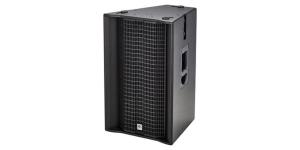
Toca tocar allí y allá hasta que le cojas el tranquillo yo lo meto por altavoces grandes y suena de la leche



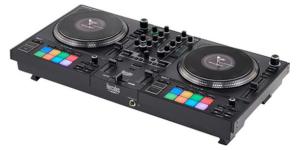
 proviene de ahí, no de flashearlas mal, que es recuperable. Como llevan una memoria bastante pequeña el número de escrituras que tienen esos chips se va degradando y perder un cliclo de vida si te lo puedes ahorrar mejor. No sé exactamente el número de escrituras completas que están garantizadas, pero no debe ser muy elevado.