Bueno, yo en ese aspecto no te podría ayudar mucho ya que desde que tengo el DP lo he usado más para grabar en directo; y las en las mezclas que he hecho, los plugins nativos ( los que me venían en DP4.5 incluyendo el paquete de Masterworks) me han bastado.
Aún así, en su día revisé lo de la compatibilidad con RTAS y AU para poder instalar algunos plugins que algunos amigos protooleros me podían pasar y supongo que no debería haber problemas.
Te dejo también un "tech link" que acabo de encontrar en la web de MOTU :
Espero que te sirva.
How do I use RTAS plug-ins in Digital Performer?
RTAS plug-ins have certain rules for how they must be used (these rules are the same as in Pro Tools).
To use RTAS plug-ins, you must:
* Run Digital Performer 4.5 or higher
* Use DAE as the Audio System (you must have a Digidesign TDM [Mix or HD] system to use DP's DAE mode)
* Place the RTAS plug-in on a voice track
* Assigning the voice of the track to Automatic
* Place it on an insert in the Mixing Board above (before) a TDM plug-in
You cannot use an RTAS plug-in:
* In Digital Performer 4.12 or earlier
* While MAS (MOTU Audio System) is the selected Audio System
* On an Aux or Master Fader Track
* On an insert beneath (after) a TDM plug-in
Also, make sure that your RTAS plug-ins are located in /Library/Application Support/Digidesign/Plug-Ins. Lastly, check if the plug-in works in Pro Tools. If you do not see the plug-in while in Pro Tools, you will not see it while under DAE in Digital Performer.
Aún así, en su día revisé lo de la compatibilidad con RTAS y AU para poder instalar algunos plugins que algunos amigos protooleros me podían pasar y supongo que no debería haber problemas.
Te dejo también un "tech link" que acabo de encontrar en la web de MOTU :
Espero que te sirva.
How do I use RTAS plug-ins in Digital Performer?
RTAS plug-ins have certain rules for how they must be used (these rules are the same as in Pro Tools).
To use RTAS plug-ins, you must:
* Run Digital Performer 4.5 or higher
* Use DAE as the Audio System (you must have a Digidesign TDM [Mix or HD] system to use DP's DAE mode)
* Place the RTAS plug-in on a voice track
* Assigning the voice of the track to Automatic
* Place it on an insert in the Mixing Board above (before) a TDM plug-in
You cannot use an RTAS plug-in:
* In Digital Performer 4.12 or earlier
* While MAS (MOTU Audio System) is the selected Audio System
* On an Aux or Master Fader Track
* On an insert beneath (after) a TDM plug-in
Also, make sure that your RTAS plug-ins are located in /Library/Application Support/Digidesign/Plug-Ins. Lastly, check if the plug-in works in Pro Tools. If you do not see the plug-in while in Pro Tools, you will not see it while under DAE in Digital Performer.
Responder
Citar

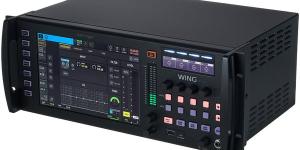
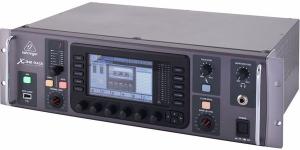
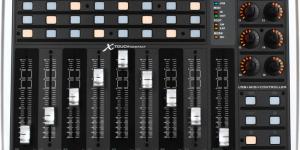


 como plugs opcionales.